Claude, floating above everything on your Mac

Sticky-note windows that stay on top of every app, even true fullscreen. Open as many as you need, side by side. Chat with Claude, or run full Claude Code in a chat or a real terminal.

↓  Download for macOS See what it does

Free for 7 days · then a one-time lifetime license · macOS 14+ · Apple Silicon

Independent macOS client for Claude Code users. Not affiliated with Anthropic.
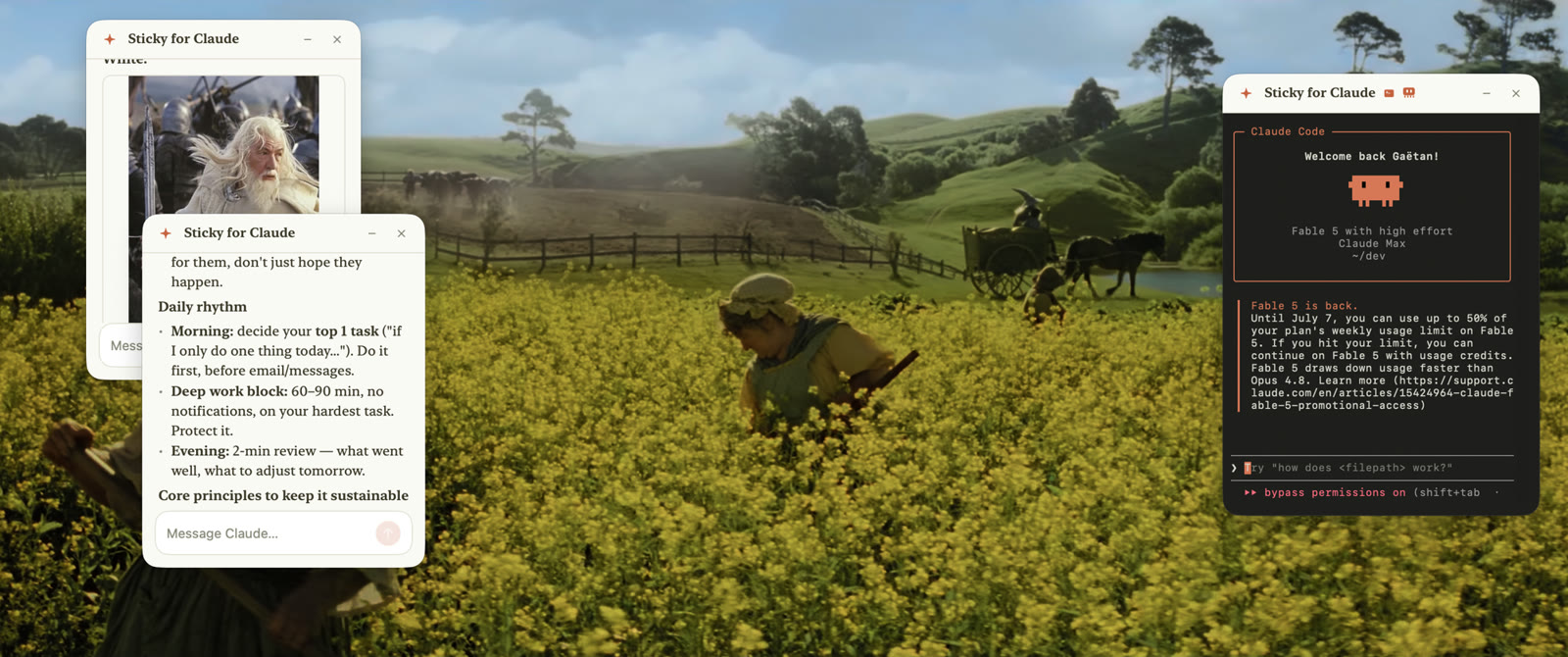
Three Sticky for Claude windows floating over a movie playing in true fullscreen: two chat notes with rich Markdown answers and a terminal window running Claude Code

Three things no other Claude app does

A native macOS app, designed to feel like Claude, and to go where no window can.

Above everything

Windows that float over every app, even true fullscreen

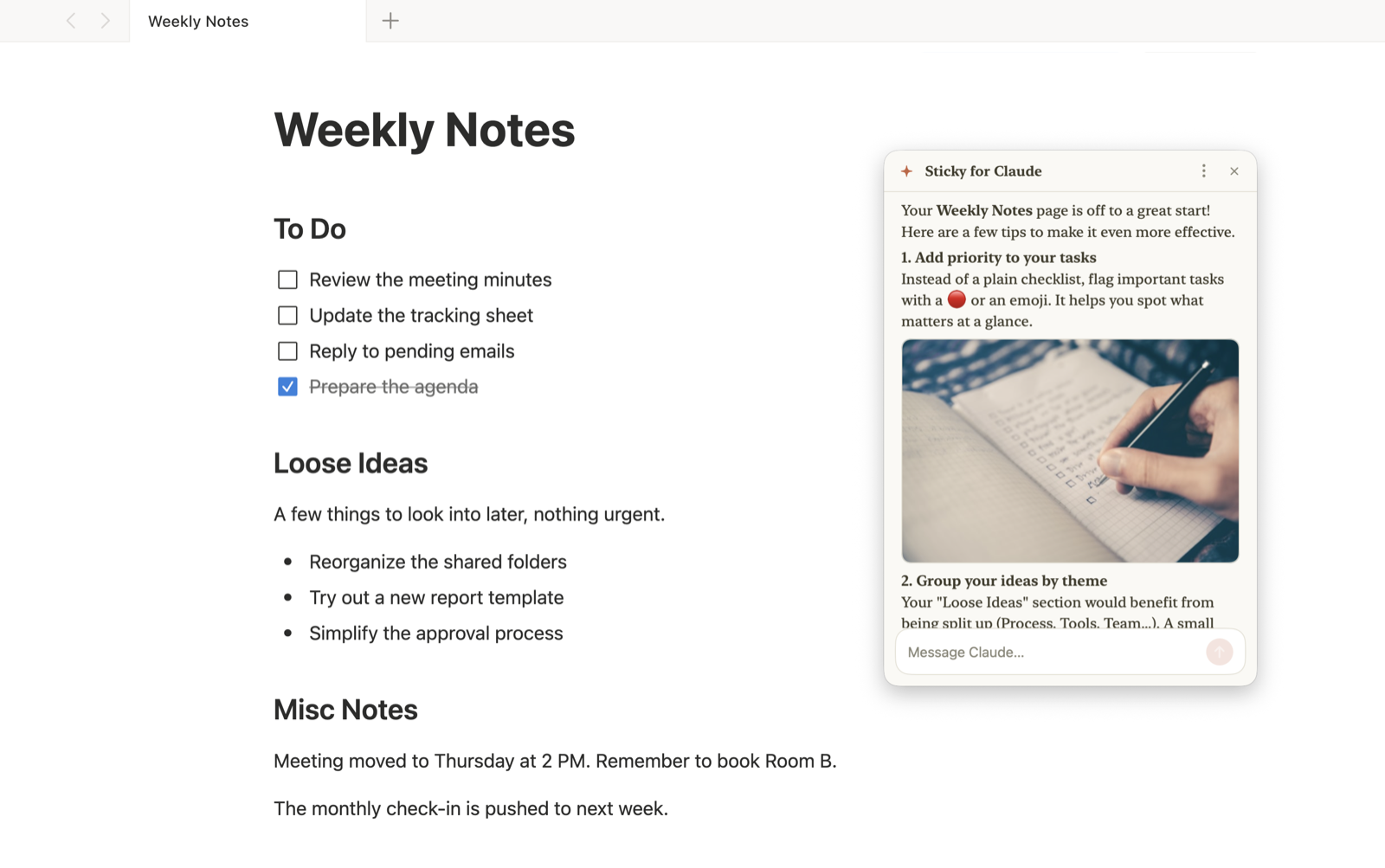
Sticky for Claude uses the same window technique as Spotlight, so its windows stay visible over fullscreen Spaces, where every other “always on top” tool gives up. Your notes, editor or design tool keeps the whole screen; Claude floats on top with rich, readable answers, images included.

  • Works over true fullscreen apps, on every Space
  • No hacks, the overlay needs no screen-recording permission
  • Double-tap ⌘ to summon or hide your windows anywhere, Esc dismisses
A Sticky for Claude window floating over a Weekly Notes page, suggesting improvements in a rich Markdown answer with an inline image
Multiple windows

As many windows as you need, side by side

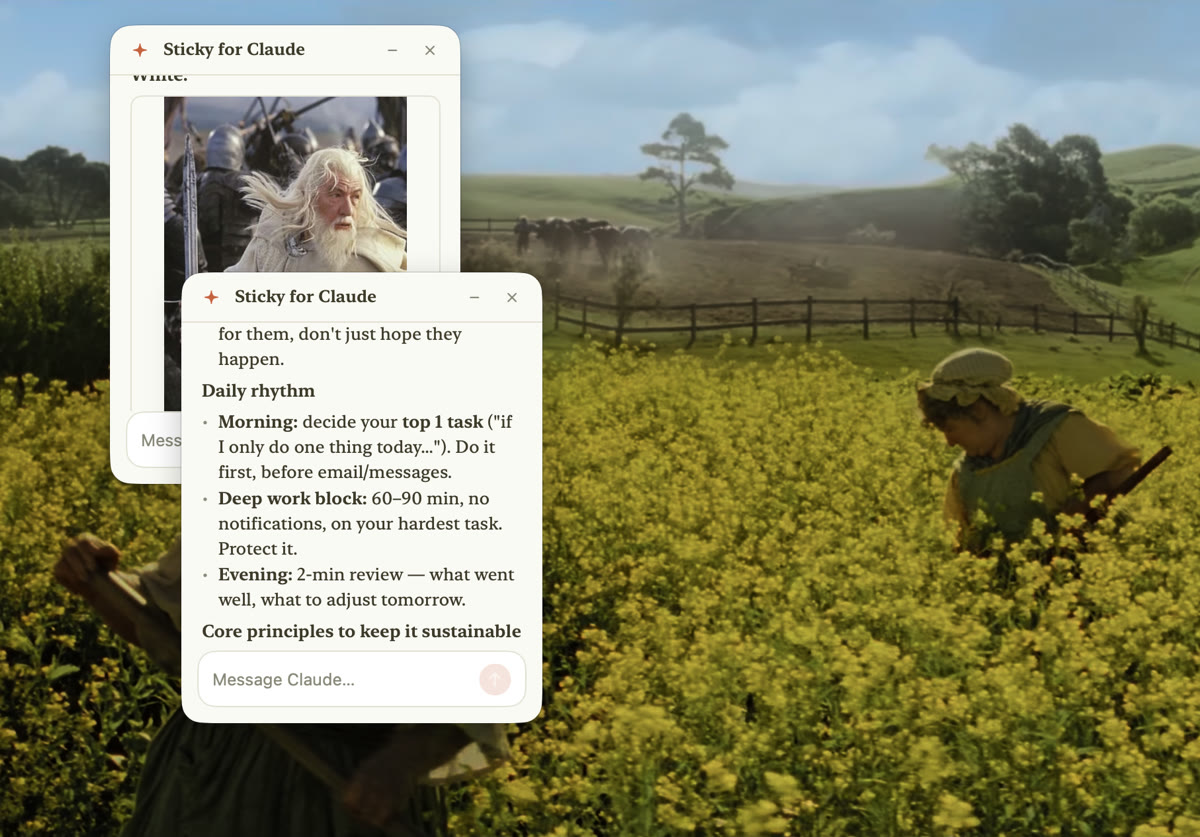
Open several sticky notes at once, one per project, task or topic, and keep every conversation visible at the same time. Each window remembers its place, and your full history stays on your Mac.

  • One window per project, task or topic
  • Independent model, effort and permissions per window
  • Reopen any past conversation with its complete context
Two Sticky for Claude chat windows side by side over a fullscreen movie, one showing an inline image, the other a rich Markdown answer
Claude Code, everywhere

Full Claude Code, in a chat or in a real terminal

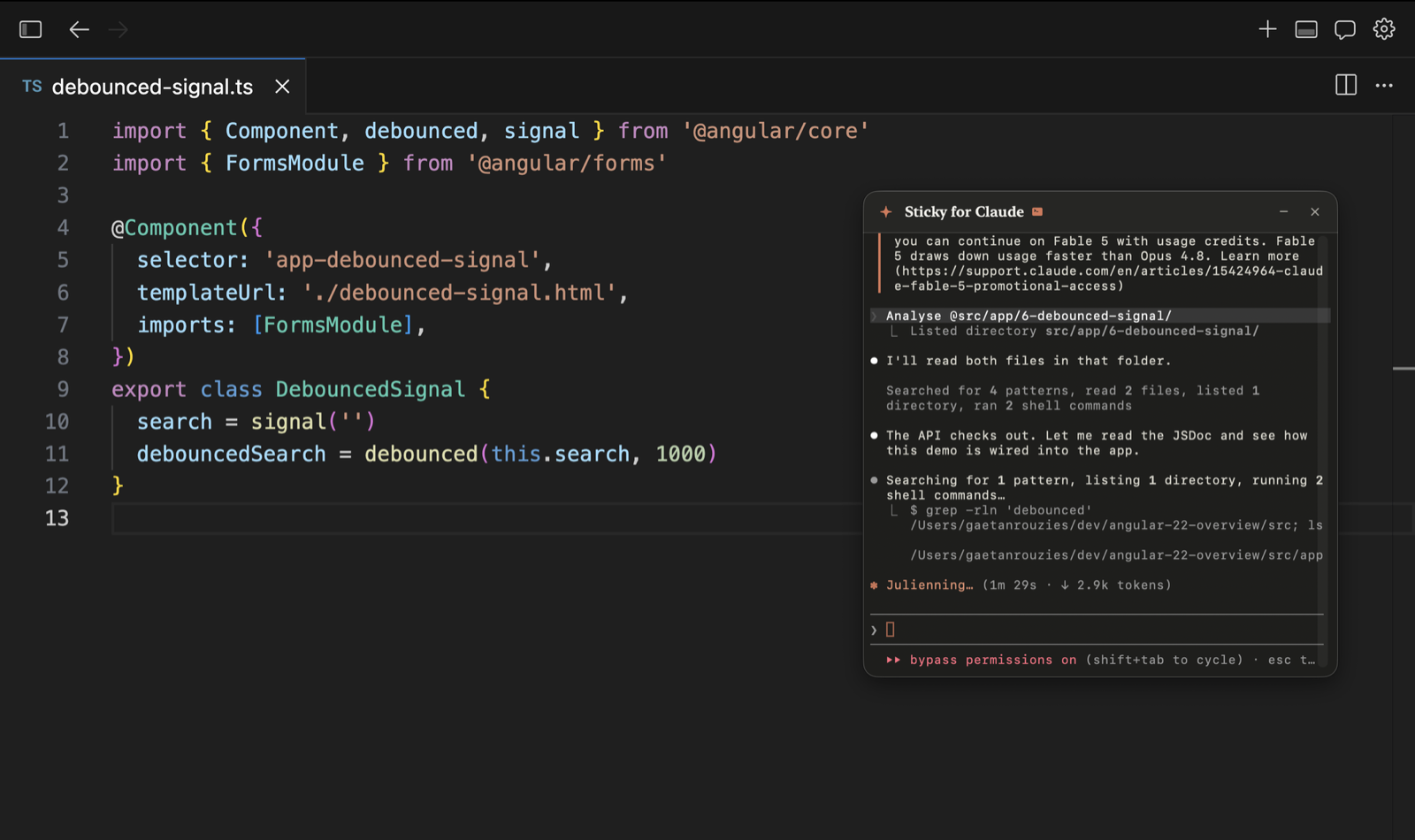
Pin a window to a project folder and drive the real Claude Code: slash commands, tool traces, permission modes. Prefer the raw experience? Open a terminal window instead, the actual CLI, floating beside your fullscreen IDE.

  • Chat mode for quick questions, powered by your Claude account
  • Code mode pinned to a project, with tools and permissions
  • Terminal mode: the real CLI in a floating window
The Claude Code CLI running in a floating Sticky for Claude window, analyzing a project over a fullscreen code editor
Out of your way

Windows that fade away when you don’t need them

Always on top doesn’t mean always in your face. Windows can fade to near-invisible when your mouse leaves them, or after a few seconds of inactivity, and come right back the moment you hover. You choose the behavior and the opacity, or turn it off entirely.

  • Fade when the mouse leaves, or after 5 seconds idle
  • Pick the faded opacity, from a ghost to barely dimmed
  • One shortcut hides and restores every window instantly

And everything a power user expects

⚡️

One gesture away

Double-tap ⌘ from any app and your windows appear; double-tap again to hide. Prefer a classic shortcut? ⌘⇧H works too, customizable.

🗂

Full local history

Every conversation is saved on your Mac. Reopen any past chat in a new window with its complete context.

🎛

Your models, your limits

Pick model and effort per message, watch context usage and plan limits in one click. Runs on your own Claude subscription.

🔒

Private by design

No account, no server-side chat storage. Conversations live only on your Mac. Available in 8 languages.

Simple pricing

Try everything free for 7 days. Keep it forever with a single purchase, no subscription.

Free trial

$0
7 days, all features
  • Unlimited floating notes
  • All features included
  • No credit card required
Download the trial

Questions

Do I need a Claude subscription?

Yes. Sticky for Claude drives your own Claude Code installation with your Anthropic account (Pro/Max subscription or API key). Nothing extra to pay per message to us.

Subscription or API · which should I use?

Personal use, just for yourself and without automation: a Claude subscription (Pro or Max) is fine.

A business, a team, or any automated workflow: you must use Anthropic API billing (pay as you go). Claude Pro and Max subscriptions are for individual, personal use only; they are not for automation or organizational use. Either way, your use of Claude is subject to Anthropic's terms.

How does it float over fullscreen apps?

It creates non-activating panels with the window flags Apple designed for auxiliary overlays, the same technique Spotlight uses. No hacks, and the floating itself requires no special permissions. (Only the optional double-⌘ gesture asks for Accessibility, since it listens for the ⌘ key system-wide.)

Where are my conversations stored?

Only on your Mac, as plain JSON files in your Application Support folder. There is no cloud component, the app only sends anonymous launch and usage pings, at most one of each per day (no content, no personal data), so we can count active installs and daily active users.

What happens after the 7-day trial?

The app asks for a license key, purchased once via a secure Stripe checkout. Your key is shown right after payment (and tied to your email). Your history and settings stay untouched.

Is this an official Anthropic product?

No. Sticky for Claude is an independent app. “Claude” is a trademark of Anthropic, PBC, used here to describe compatibility.